Edit a location's details
Set one location's name, address, contact details and locale, choose its sister venues, or delete it.
Each location has its own details page: the name and address guests see, the contact details Sadie gives out, and the timezone and currency every time and price uses. Finish setup asks for these first. Opening hours are set on Working Hours.
Open a location
Click the page menu at the top left, then click Settings. Then:
- Company admin or group manager: click Locations, then click the location's name in the list. If the location picker already names one location, its details open straight away.
- Location manager: click Details under Your location.
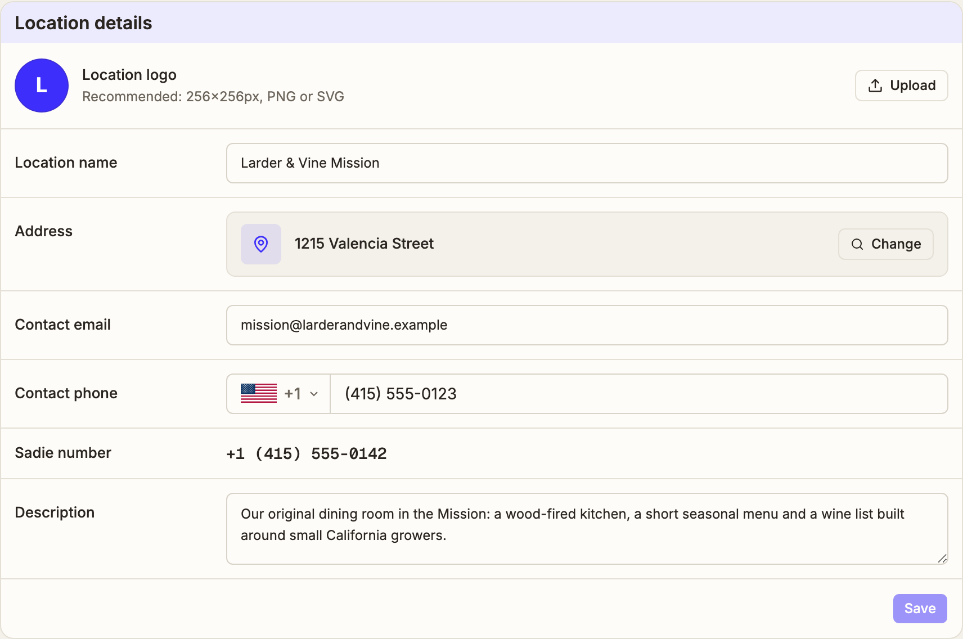
Set the name and address
Type the Location name. Click Change next to the saved address and search for the location. Click the matching result. It fills in the address, and the Timezone and Currency under Locale follow it.
Add the contact details
Type the Contact email and Contact phone. Guests use these to find and reach the location. Description is optional.
The Sadie number row shows the number guests call. You cannot change it here; it is set up with Sadie. No Sadie number yet means the location has no number yet.
Check the locale
The Locale card shows the timezone, with the current local time, and the currency. Both come from the address. To use a different one, click Override and pick it.
Save
Click Save on the Location details card. It saves the details and the locale together, and Location details saved. confirms it. If a field is missing, the page marks it and says what to fix, and nothing is saved until it is fixed. The logo saves on its own as soon as you upload it.
Choose sister venues
The Sister venues card lists the other locations in this location's group. When this location is full, Sadie can offer a table at a sister venue instead. Switch a venue on to include it, and use the up and down arrows to set which one Sadie offers first. Up to two can be on at a time.
Sister venues work for locations that book through OpenTable, SevenRooms or Now Book It, on the same platform. Other locations see Sister venues are available for locations that book through OpenTable, SevenRooms or Now Book It. If no other location qualifies, the card reads No sister venues available.
Delete this location
A company admin sees a red card at the bottom of the page with Delete this location. Click Delete, wait 15 seconds for the button in the window to unlock, then click it. The company and your other locations stay.
What's next
Give the location a manager on Manage your team.
Manage your locations and groups
See every location with its Sadie status and manager, organize locations into groups, and move a location from one group to another.
Add a location
Add a new location to your company from its Google listing, set its opening hours and sittings, and open it to finish setup.