Find a guest
Search, filter, and export the people who have called or messaged one of your locations.
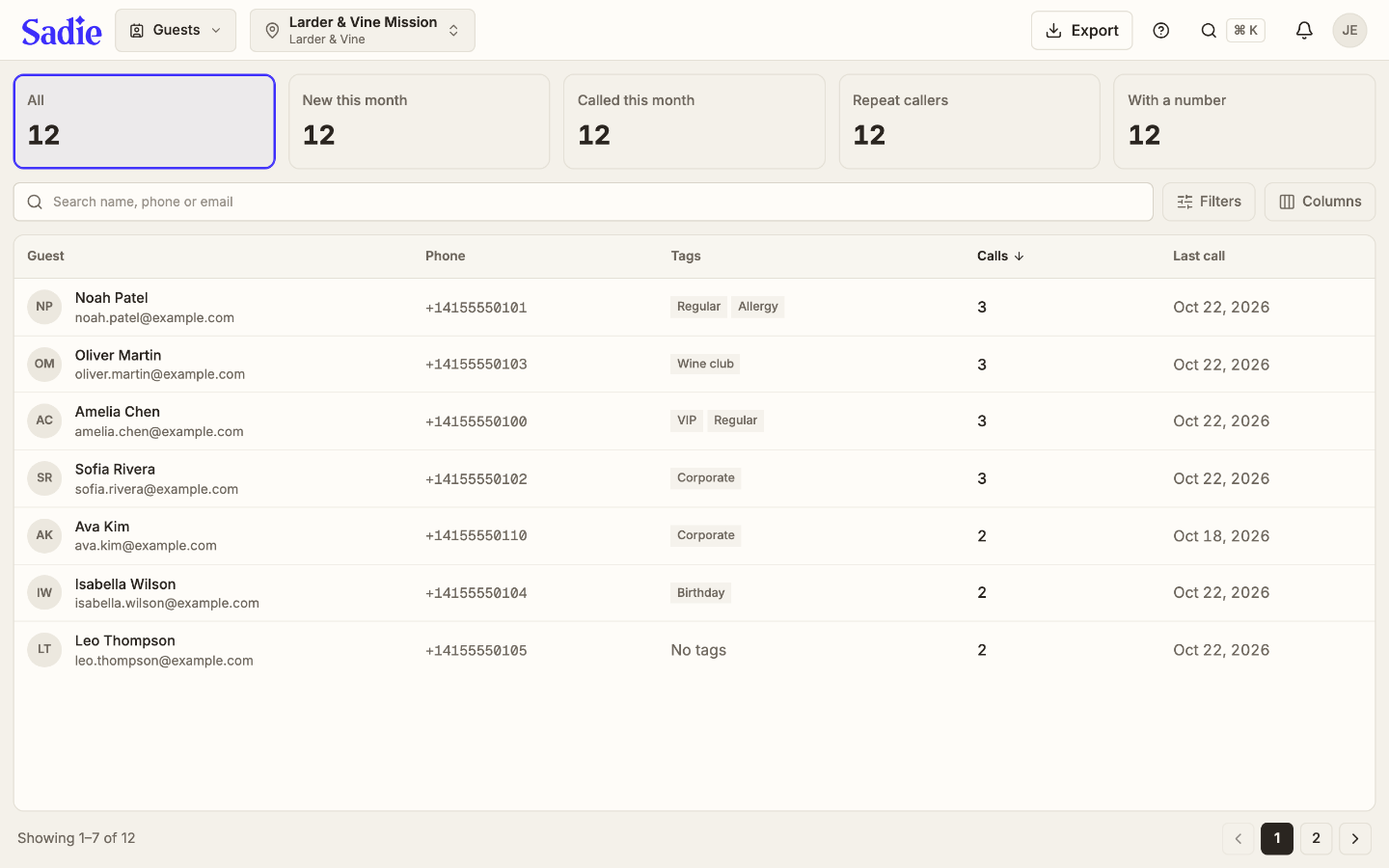
Guests is the directory of everyone tracked at one location, built from their calls and contact details. It works on one location at a time, so it follows the location picker in the top bar. See Get around the web portal. When the picker covers more than one location (All locations, or a group with several locations), the page says Choose a location to see its guests. and lists the locations in view. Click one and the directory opens. A group or company with a single location opens that location straight away.
Read the tiles
Five tiles span the top of the page: All, New this month, Called this month, Repeat callers, and With a number. Click one to filter the list to that group; click it again, or click All, to clear the filter.
Search and filter
Type into Search name, phone or email to find someone directly, or click Filters to narrow by Tags, Source, or Email, which can be Any, Has email or No email. Clear filters resets them. If nothing fits, the page says Nothing matches those filters. A location with no guests yet says No guests yet.
Choose your columns
Click Columns to add fields the table hides by default, such as email, source, number of messages, talk time, or when the guest was added.
Export the list
Click Export, at the top right, to download every guest that matches your current search and filters. One export holds up to 5,000 guests; a message tells you when the list was longer and only the first 5,000 were exported.
Open a guest
Click a row to open that guest's profile. It shows their phone and email, how many times they called, their last call, and their Recent calls.
Click Messages to read your texts with that guest, or click Open call beside a recent call to see it. The conversation opens in a panel over Guests. Close the panel to go back to the list where you left it, or click Open in Inbox to see it in the Inbox.
Turn the page
How many guests show per page depends on your screen size. Use the page numbers and arrows at the bottom to move through the rest.
What's next
Set up your alerts: Manage notifications on the web.