Read form submissions
See what callers submitted through your forms, find one by name, phone, form or date, and open the call it came from.
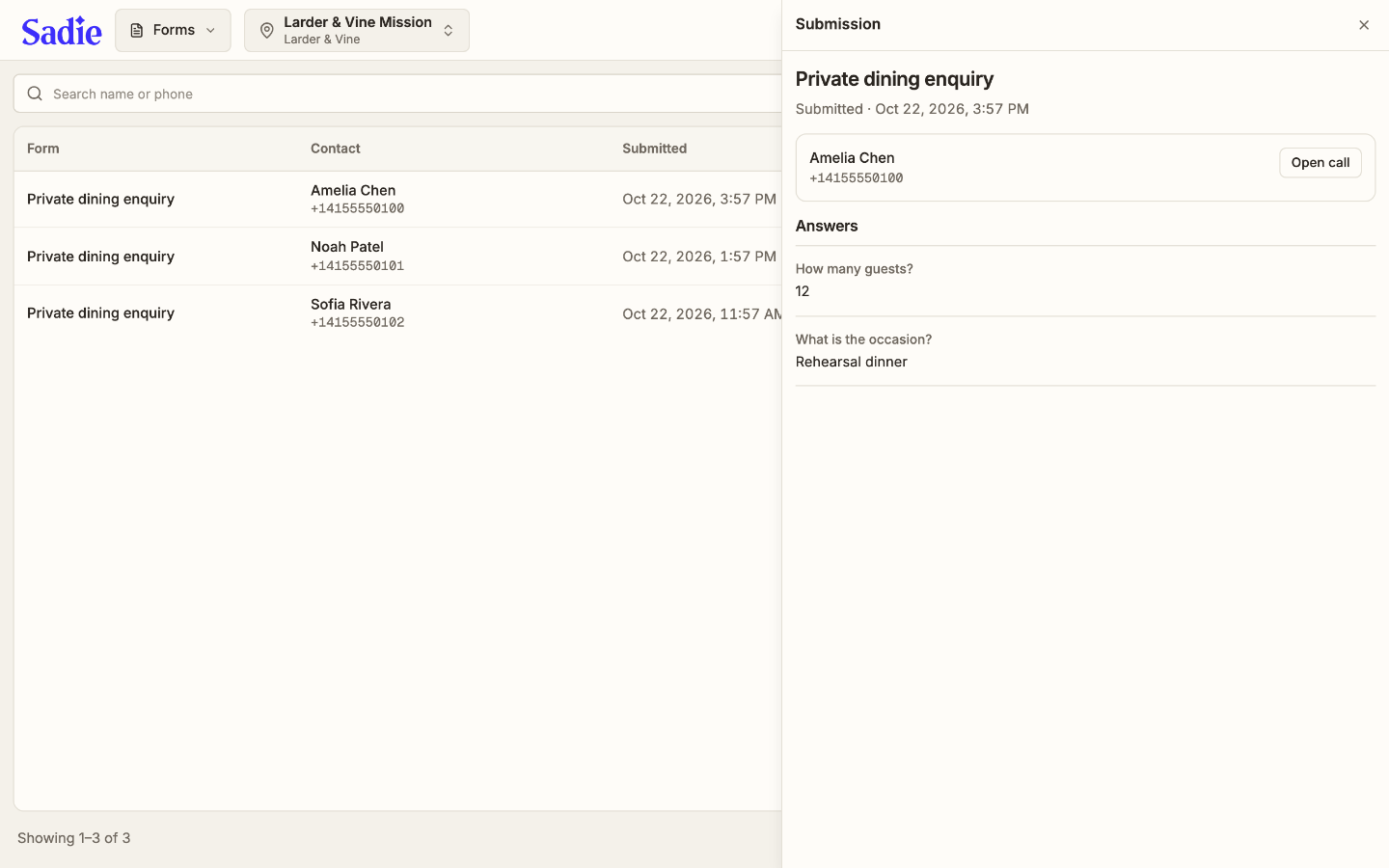
Forms lists what callers submitted through one location's forms, newest first, across every form. Each row shows the form, the caller's name and phone, when they submitted it, and the start of their answers. To build or change the forms themselves, go to Set up your forms.
Forms works on one location at a time, so it follows the location picker in the top bar. See Get around the web portal. When the picker covers more than one location (All locations, or a group with several locations), the page says Choose a location to see its forms. and lists the locations in view. Click one and the page opens on it. A group or company with a single location opens that location straight away.
Open a submission from Home
Forms is not in the page menu. Pick one location, then go to Home. Its To do section lists the newest form submissions that still need a follow-up. Click Open on one. The Forms list opens with that submission's panel on top. Close the panel to see the whole list, with the columns Form, Contact, Submitted, and Answers.
Form calls also appear in the Inbox, where you can reply without opening Forms.
If nobody has submitted a form yet, the page says No submissions yet, and that Submissions appear here when callers complete a form.
Find a submission
Type a name or phone number into Search name or phone. Pick a form from the All forms list to see only that form, or click Any date and pick a start and end day. Click the X beside the dates to clear them. If nothing matches, the page says No submissions match these filters.
Open another submission
Click a row. A Submission panel opens over the list with the form's name, when it was submitted, the caller's name and phone, and Answers: each question the caller was asked, with what they said. A caller's name, phone, and email are labelled Name, Phone, and Email when they gave them. Close the panel to go back to the list.
Open the call
When the submission came from a call, click Open call in the panel to go to that call in the Inbox.
Mark it handled
A submission that still needs someone says Needs follow-up at the top of the panel. Once you have called back, click Mark handled. The panel then says Followed up.
What's next
Find someone in your guest list: Find a guest.