Sadie Answers
Answer callers and respond to questions.
With Sadie Answers, Sadie answers callers and responds to their questions. Sadie Answers does not take bookings.
A location with no booking system runs as Sadie Answers. You do not connect it: it is the default on the Booking view whenever no booking channel is connected.
Set up
Contact Sadie support to set up Sadie Answers for your location. Identify the location and the information callers need, such as your opening hours or how to reach the location.
Review the answers with Sadie before you use them for service.
If you need Sadie to take bookings, ask about a supported booking channel instead. Sadie Answers cannot book.
Check the setup
Open Settings, Connections, then Booking, and check the location named under the page title.
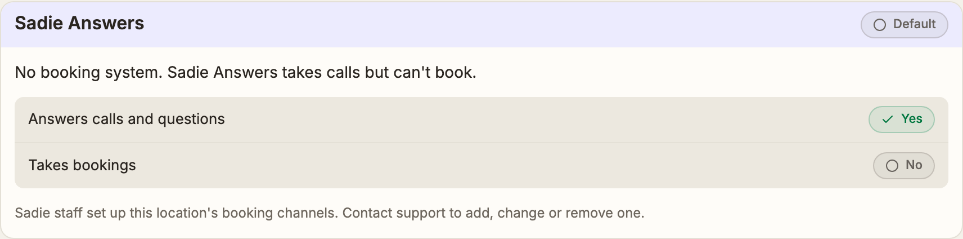
The card reads Sadie Answers with a Default badge and the line No booking system. Sadie Answers takes calls but can't book. Two rows follow. Answers calls and questions says Yes, and the row for bookings says No.
Agree a test call with Sadie support and check that the answers match the information you approved.
For a Sadie Answers location, Settings, Sadie has no Bookings section, and the guided setup skips the booking step.
Move from Sadie Answers to a booking channel
Contact Sadie support to connect a booking channel in place of Sadie Answers. Sadie staff set it up, and the Booking view then shows that provider's card in place of Sadie Answers. See the booking guides.
Reconnect or disconnect
There is no account to authorize and no button to remove Sadie Answers. Contact Sadie support to restore, change or replace it for the location.
Troubleshoot
| What you see | What to do |
|---|---|
| An answer is wrong or out of date | Check the text under Knowledge Base first. Give Sadie support the location, the call time and the information that needs correcting. |
| Callers need to make bookings | Ask Sadie support about a booking channel. Sadie Answers only answers callers and their questions. |
| The Booking view shows a different provider than you expected | Check the location named under the page title, then contact Sadie support. |
Who to contact
Contact Sadie support for setup, changes to answers or unexpected behavior. Include the location and an example call time so the team can check what happened.