Manage this location
Set this location's name, booking link, address and locale, then its operating hours.
Location is the place you are in. This location holds its name, booking link, address, email, phone and description. Locale shows the timezone and currency detected from the address. You can override either. Operating hours come next. Company name and group name are set on Company.
Open Location
Click Settings in the top bar, then click Location under Company in the sidebar. The page opens on the currently active location.
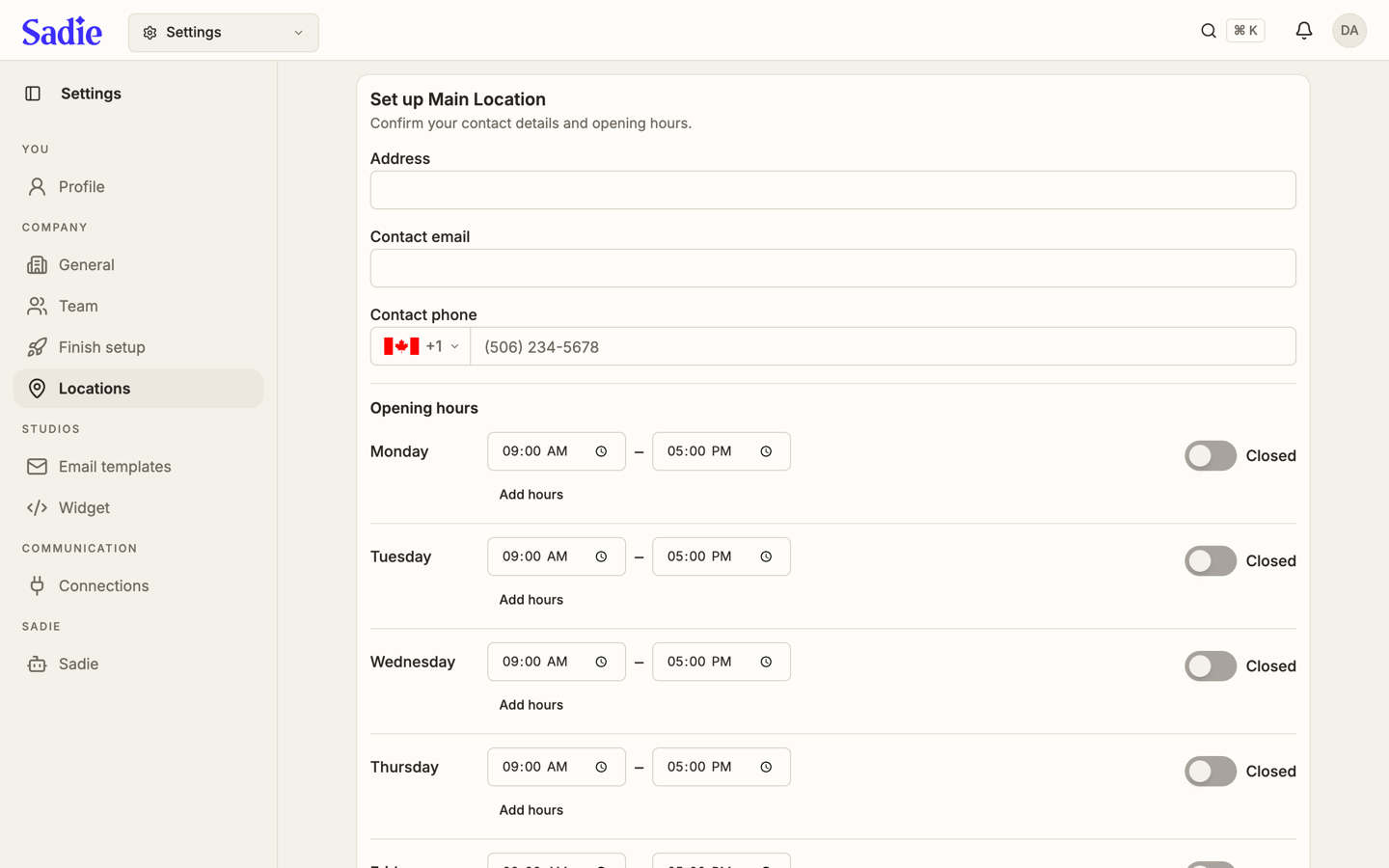
Set the address and contact details
Type the location's address, contact email and contact phone. Customers use these to find and reach the location.
Set the opening hours
For each day, set an opening and closing time, or switch it to Closed. Click Add hours under a day to add a second open period, for a lunch and dinner split.
Save
Click Save. The page tells you if a field is missing or a time range is incomplete, and holds the save until it is fixed.
Sister venues
If this location belongs to a group with other locations, a Sister venues card appears below the setup card. Turn a location on to include it in this location's availability process; the order controls which one is offered first when this location is full. Use the up and down arrows next to an active location to reorder it.
What's next
With your location details confirmed, set up the emails your customers receive on Edit your email templates.