Edit your company
Set the company name, logo, billing email and description, or delete the company.
Before you start
Only a company admin can view or change this page. A member with a different role does not see Company in the sidebar.
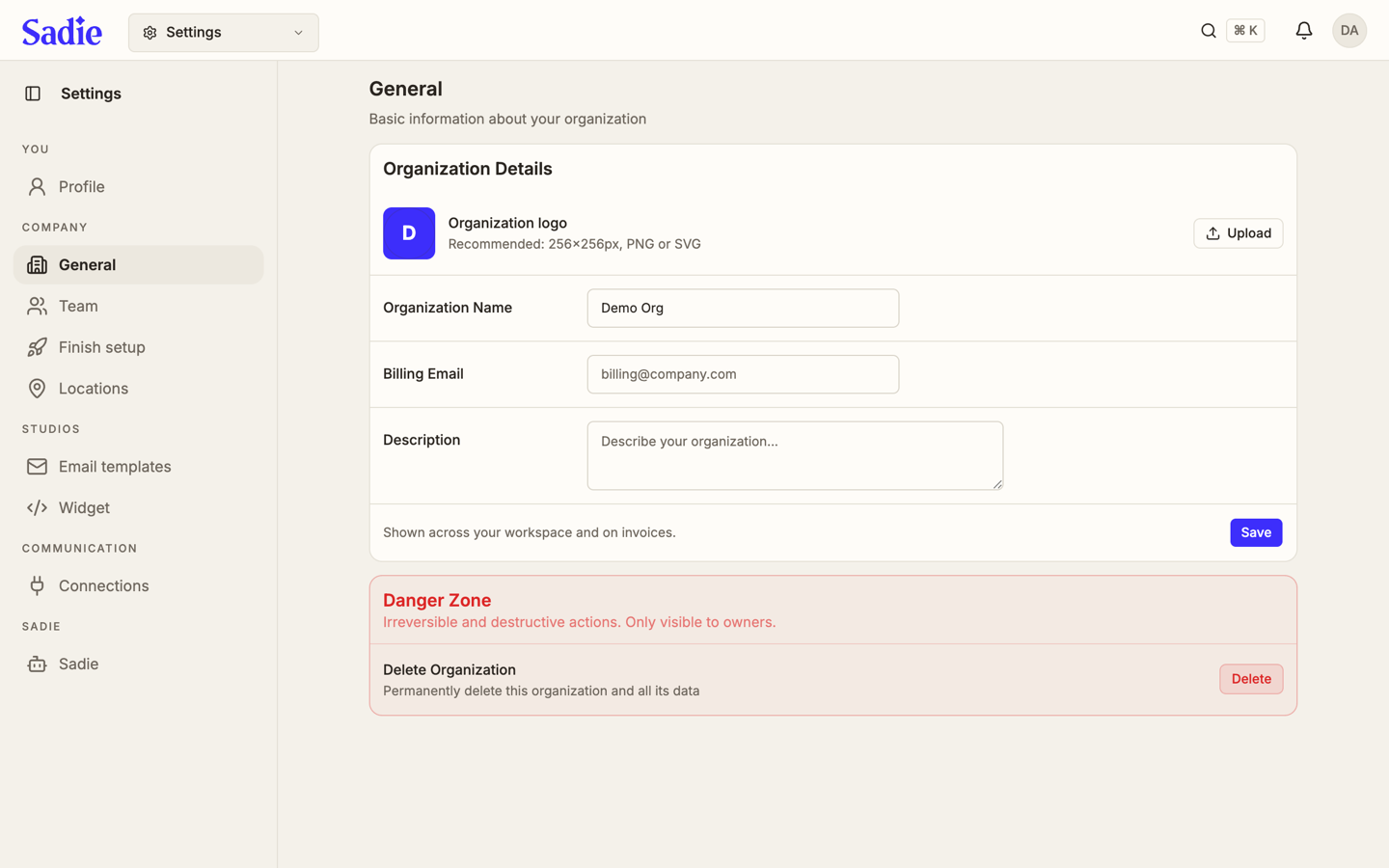
The Company page holds the company itself: the name, logo, billing email and description shown across the company and on invoices. When the location you are in sits in a named group, Group name is a field in that same card. It is the group you are in, and every location in that group uses the name.
Set your logo
Click Upload in the Company card and choose a PNG or SVG image. 256 by 256 pixels is the recommended size.
Set the company name, billing email and description
Type the company name into Company name. Billing email and description are optional. Add them if you want them shown on invoices and across the company. Group name, when it is shown, is the group you are in.
Save your changes
Click Save.
Require two-factor sign-in for everyone
The Security card holds Require two-factor sign-in for everyone. Turn it on and every member signs in with a password and an authenticator code from then on. Anyone without an authenticator set up yet, including you, sets one up before they can continue. Each member sets up their own authenticator on Update your profile; this switch only requires it.

Delete the company
Delete company, in the red card at the bottom of the page, permanently deletes the company, every location in it, and all its data. This cannot be undone.
This is irreversible
Deleting removes every location, record and piece of data tied to this company. There is no way to bring it back.
Click Delete to open a confirmation bar. Its confirm button stays locked for 15 seconds while a bar fills, giving you time to change your mind. Once it unlocks, click it again to delete the company.
What's next
Once the company details are set, invite the people who work in it on Invite and manage your team.