Finish setting up a location
Work through the checklist that gets a location ready to take bookings.
Before you start
Only a manager role, Company Admin or Group Manager, can open Finish setup. Setup progress is shared by the whole location: a teammate who joins it later does not repeat it.
Finish setup is a checklist for one location. It tells you what is required before the location can take bookings, what is recommended, and roughly how long each step takes.
Open Finish setup
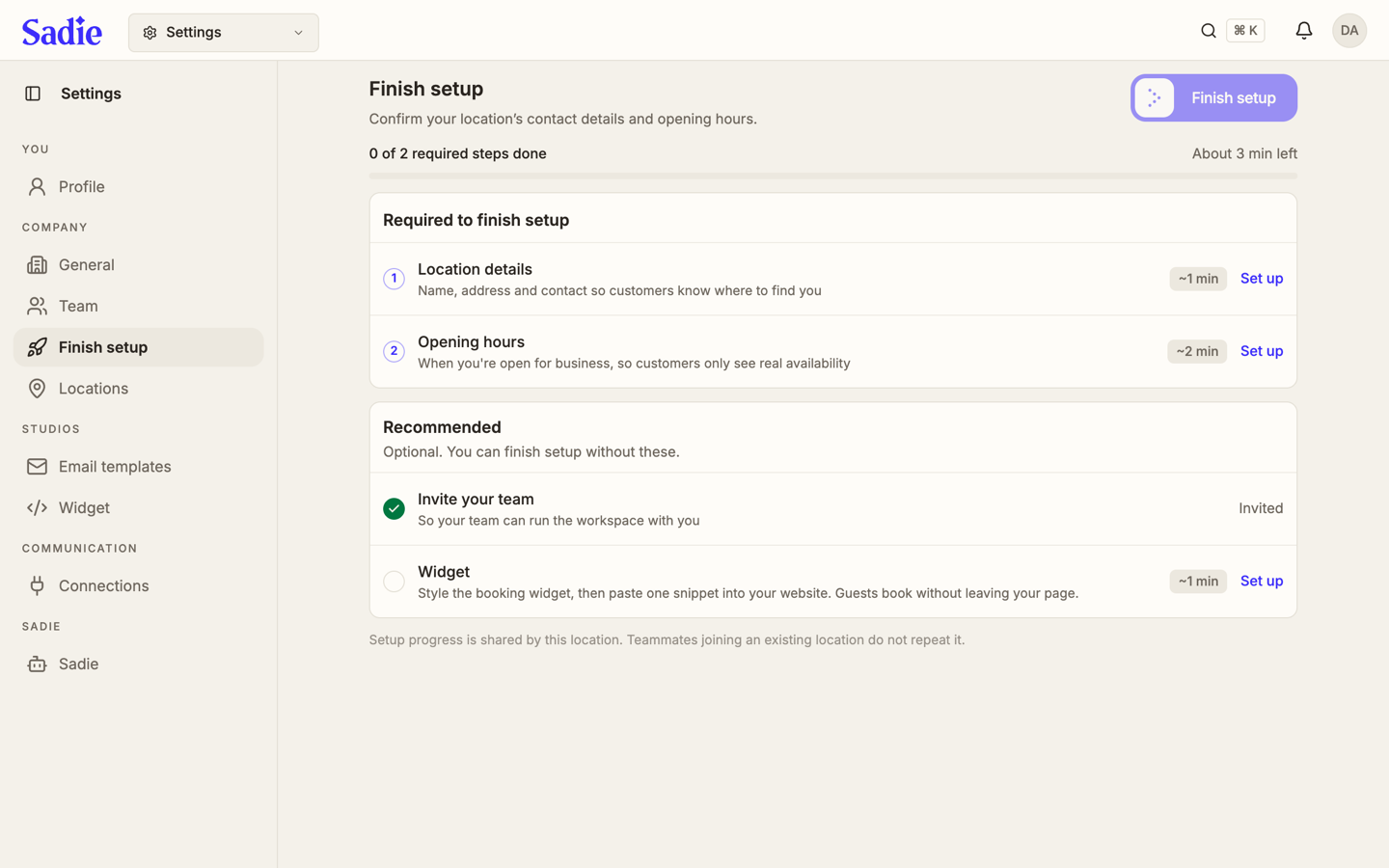
Click Settings in the top bar, then click Finish setup under Company in the sidebar. The bar at the top shows how many required steps are done and how much time is left.
Complete a required step
Click Set up next to a step under Required to finish setup. Location details asks for a name, address and contact so customers know where to find you. Opening hours asks when you are open, so customers only see real availability. A step turns into a green checkmark once it is done.
Complete a recommended step
Under Recommended, Invite your team and Widget are optional: you can finish setup without them. Widget styles your booking widget and gives you one snippet to paste into your website, so guests can book without leaving your page.
Finish setup
Once every required step is done, click Finish setup in the top right. This opens the location's booking page. You can pause it again afterward.
What's next
Locations that share a group can offer each other's availability. Set that up on Manage your locations.