A text thread
Reading a conversation, telling Sadie's notes apart from what the contact saw, and when you can take over.
Tap a text row in the Inbox to open the conversation.
The header
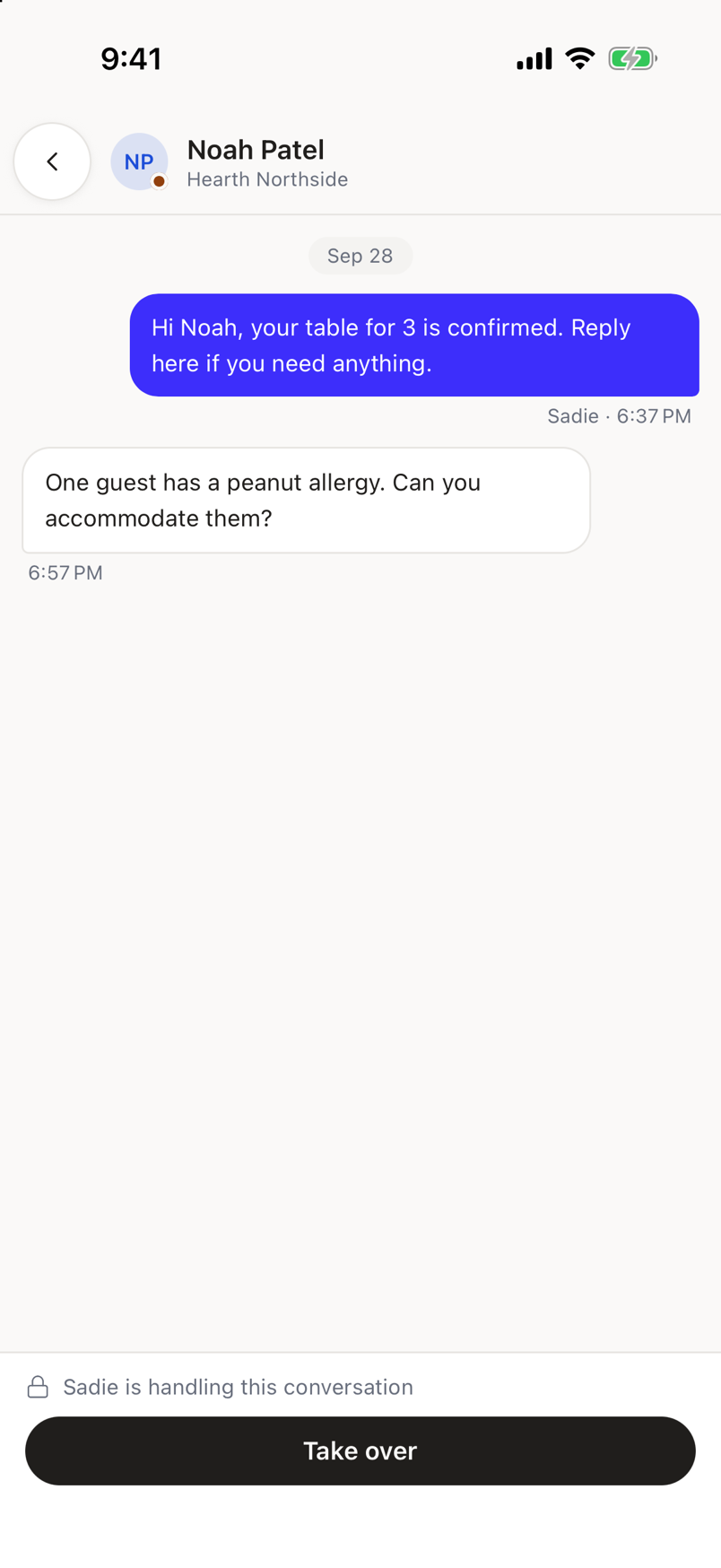
The contact's name, or their phone number when there is no name, with the number and venue underneath. A dot on the avatar means the thread still needs a person.
Reading the conversation
Messages are grouped by day, oldest at the top. Each bubble carries the message and a time; a message you or a colleague sent also carries who sent it, so A colleague appears when the sender's name cannot be resolved. Sadie's own replies are never credited to a colleague, and a colleague's message is never credited to Sadie.
An internal note from Sadie is not a bubble. It is a dashed, tinted block marked Sadie needs you and tagged Not sent, so it cannot be mistaken for something the contact read.
A takeover or handback shows as a plain line between messages: {name} took over, or Returned to Sadie.
While Sadie is handling the thread
When Sadie still owns the conversation, the bottom of the screen shows a locked bar reading Sadie is handling this conversation, with a Take over button. Tapping it hands the thread to you.
You cannot send from here
This screen has no message composer. It shows you the conversation and lets you take it over; sending a reply is not part of this screen yet.
When something goes wrong
If the conversation cannot be found, you get Conversation not found: It may have been removed, or it belongs to another venue.
If it fails to load for another reason, you get Could not load this conversation, with a retry.