A call
What a call record shows, from the facts at the top to the transcript, and how to move it on.
Tap any call row in the Inbox to open its record.
What sits above the cards
The caller's name (or Unknown caller when there is none) as the screen's heading. Under it, the caller's number as a tappable call-back line with a phone icon, or No number to call back when there is nothing to dial, then the date and time.
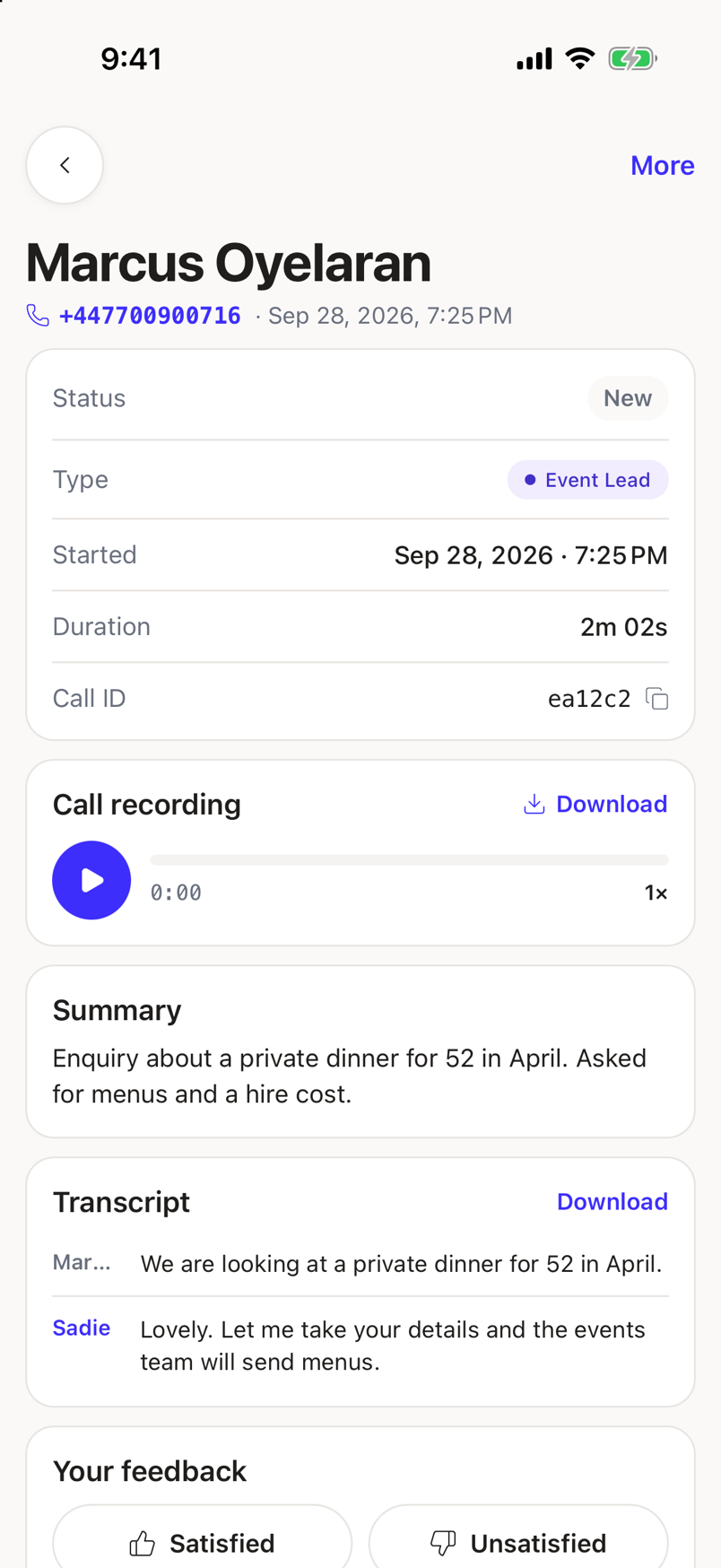
The top bar carries only a back arrow and, when the call has states to move through, a More control at the top right.
The cards, in order
Facts. Status, Type, Started, Duration, and Call ID, with a copy button beside the ID. Duration reads Not recorded when the call has none.
Call recording. A play button, a progress track, and a readout, with Download opening the recording in your browser. A call that was cleared after the retention window, or never captured one, shows a line saying so instead of a dead play button.
Summary. Sadie's summary of the call, or No summary for this call.
Order, only when the call is linked to one. Its status, reference, and item summary, with the total and a View order link into the order's own record.
Transcript. Every turn, labelled by speaker (the caller's first name, Sadie, or System), with a Download action that shares the transcript as text through your phone's share sheet.
Your feedback. Two buttons, Satisfied and Unsatisfied. Satisfied saves right away; Unsatisfied opens a sheet asking why before it saves. Whichever you picked stays highlighted.
Moving a call on
Tap More to open Call actions. It lists the states you can move the call to next, plus Assign to a teammate, which shows the current assignee's name when one is set.
When something goes wrong
If the call cannot be found, you get Call not found: This call may have been removed, or the link is out of date.
If it fails to load for another reason, you get Call details could not load: Check your connection and try again, with a retry.