Work the Inbox
Find a conversation, reply, take notes, and mark it done.
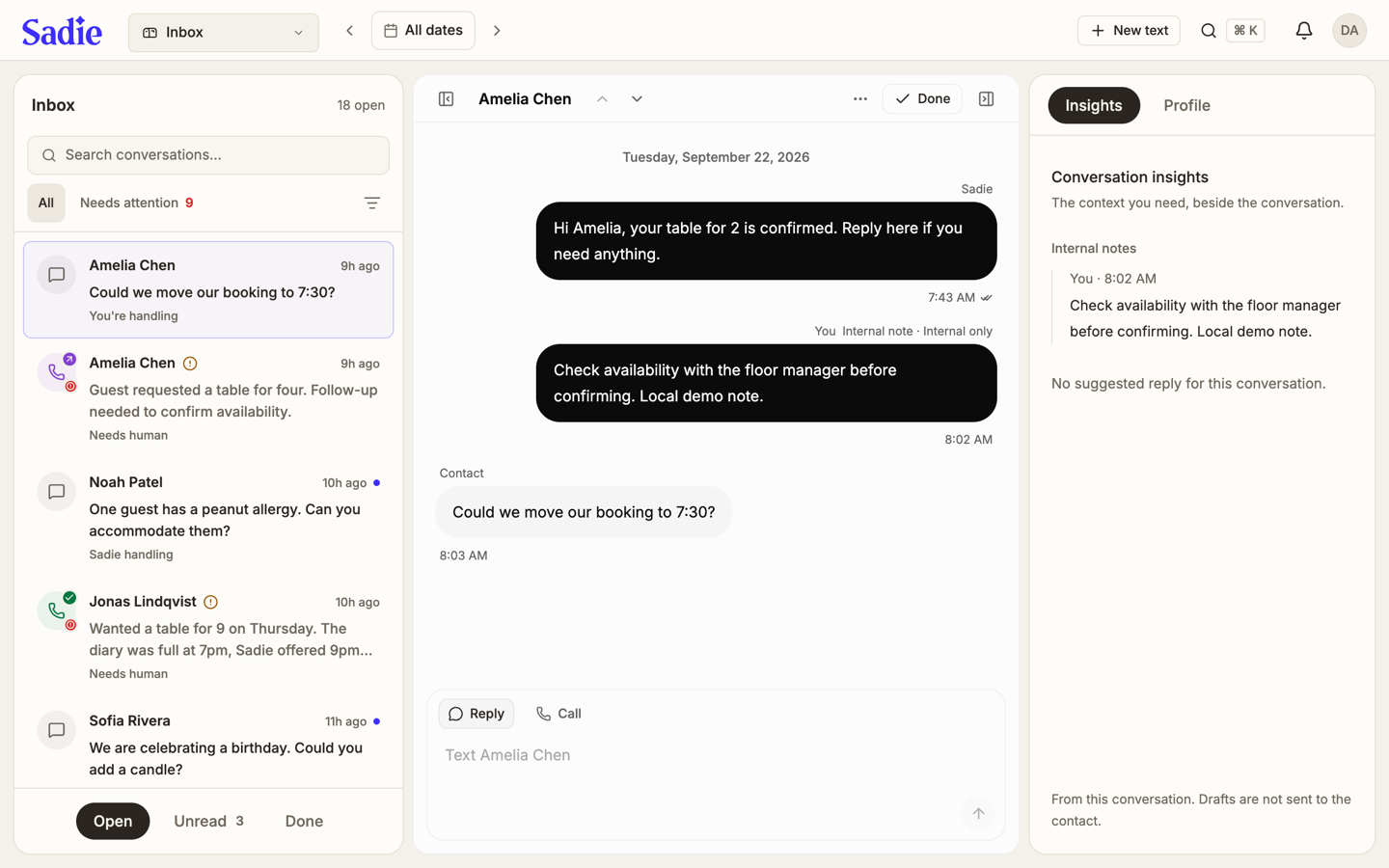
The Inbox holds every text conversation and phone call for the active location. A call you open from Guests or from a notification also opens here.
Find a conversation
The list on the left shows every conversation, newest first, with the open count next to the Inbox heading. Search by name with Search conversations..., or click Needs attention to see only the ones waiting on you. All clears every filter. Click the filter icon next to the search box, then choose Form, Transfer, or Dropped call under Follow-up to narrow to conversations of that kind.
Along the bottom, switch between Open, Unread, and Done to change which conversations the list shows.
Right-click a conversation, or press and hold it on a touch screen, to open its actions: Take over, Return to the agent, Snooze or Unsnooze, Mark done, Mark as unread, or Mark needs human.
Read and reply
Click a conversation to open it. Messages appear in order with the time each one was sent. Type in the box at the bottom and click Reply, or click Call to call the contact.
Add an internal note
A note you add in the thread is marked Internal only and never reaches the contact. Use it to leave context for whoever picks up the conversation next.
Mark it done
Click Done once a conversation needs no more action. It moves to the Done view; open it again from there if it needs to reopen.
Assign a conversation
Open the thread, click the ... more menu, and click Assign to hand this conversation to a teammate. They see it as theirs; a bell notification tells them it landed on them.
Check the side panel
On the right, Insights shows a suggested reply when one is available, plus the internal notes for that conversation. Click Profile instead to see the contact's guest details without leaving the Inbox.
Start a new conversation
Click New text, at the top right, to start a text conversation with a contact. It creates the thread; it does not send a message on its own.
What's next
Read what a guest submitted: Read form responses.