Phone appSettings
Choose a theme
Five looks for the app, and where the choice is kept.
Tap the Theme row in Settings to open a sheet with five choices. Tap one and the app changes immediately. The one you are on is marked.
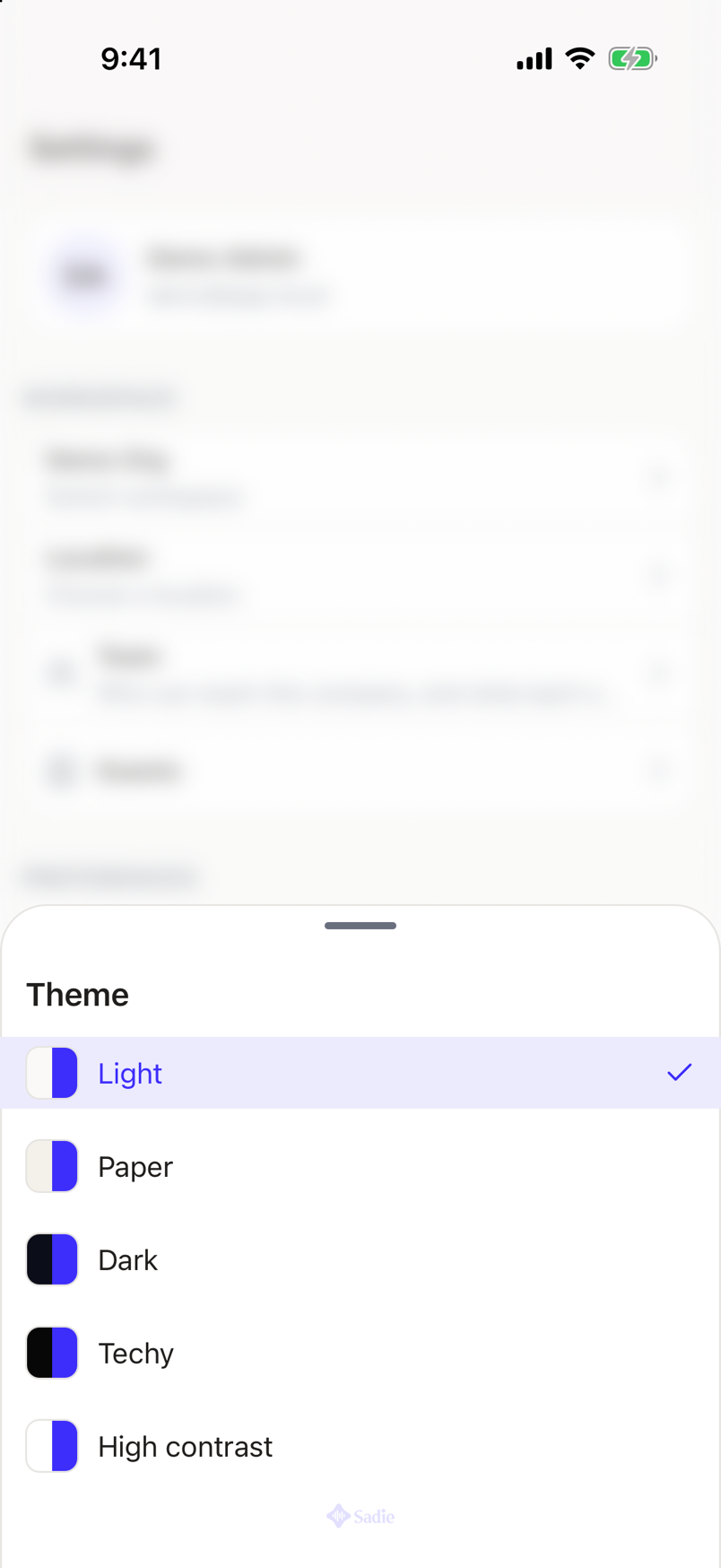
| Theme | What it looks like |
|---|---|
| Light | Dark text on a pale background. |
| Paper | A softer, warmer light ground than Light. |
| Dark | Pale text on a near-black background. The one you start with. |
| Techy | Dark, blacker than Dark, with brighter accents. |
| High contrast | Black on white, with black borders on everything. The strongest separation of the five. |
Which to use
A dark theme is easier on the eyes in a dim room, which is where most of a shift happens. Light or Paper win in daylight or under bright house lights. High contrast is there when neither is readable enough, on an old screen or through a scratched protector.
There is nothing to save. Your choice takes effect as you tap it.
Where the choice is kept
The theme belongs to the phone, not to your account.
- It stays put when you switch workspace.
- It stays put when you sign out and sign back in.
- It does not follow you to another phone or to the web app.
Text size
Text size is not set here. The app follows the text size in your phone's own settings, so making text bigger there makes it bigger in Sadie Resto too.