The Overview
The Home tab's numbers, in three views, with a chart behind every tile.
Home is the first tab. Its body is the Overview, Sadie's read on bookings and calls for the venue you have selected.
Choosing a period
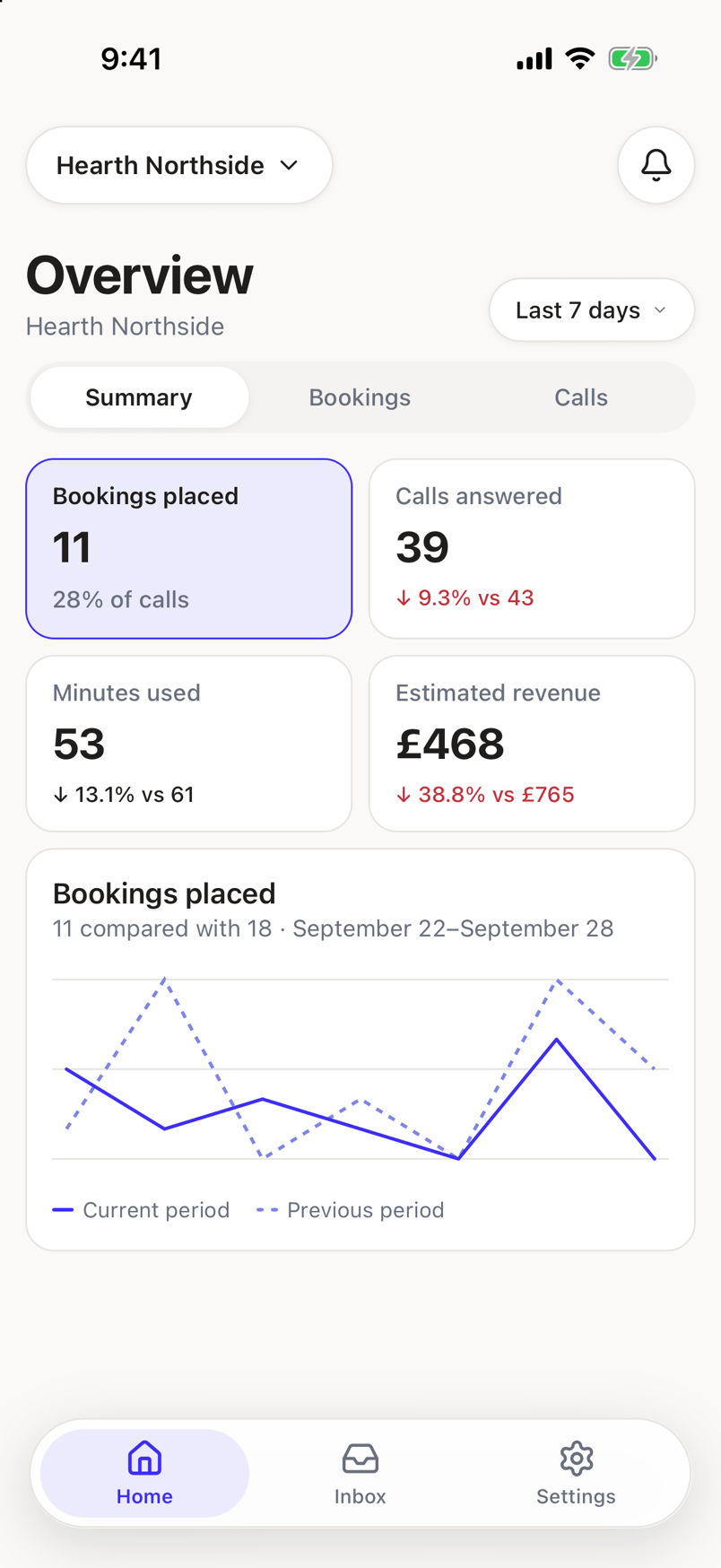
Under the title, a chip shows the current span: Today, Last 7 days, or This month. Tap it to switch. The Overview opens on Last 7 days.
Three views
Segments under the period chip switch between:
- Summary. A quick read on bookings, calls, time saved, and revenue.
- Bookings. Bookings Sadie placed, after-hours bookings, and party sizes.
- Calls. Calls Sadie answered, transferred, and handled.
Switching views is instant. All three read from the numbers already on the screen, so there is no extra wait.
The tiles
Each view shows a grid of tiles, two per row: things like calls answered, bookings placed, minutes used, and estimated revenue, depending on the view. Tap a tile to select it and reveal a trend chart underneath, comparing this period with the one before it.
The tile set can change
Which tiles appear, and in what order, comes from the server for each view. This article does not promise an exact, fixed list.
Top transfer reasons
Select a tile about transfers and a card appears below the chart: Top transfer reasons, ranking why a call reached a person during this period, with a share of transferred calls beside each reason.
A recommendation to review
When Sadie has something worth reviewing, a banner appears above the segments with a count and a Review button. It only shows when there is something to act on. See Recommendations.
When the numbers cannot show
- Choose a venue. Bookings and calls are reported one venue at a time. Pick a venue to see its numbers.
- No locations to report on. Add a location to see its bookings and calls here.
- Nothing is reporting yet. Calls and bookings still work; nothing in this view is connected to the reporting service yet.
- The numbers are not available right now. Nothing is lost; this is a reporting problem, not a call problem.
- Access restricted. You do not have permission to view this page.
- Analytics is not set up for this workspace, or The dashboard is off for this workspace. Contact support to turn it on.
- Dashboard could not load. Check your connection and try again, with a retry.