Find a guest
Search, filter, and export the people who have called or messaged your location.
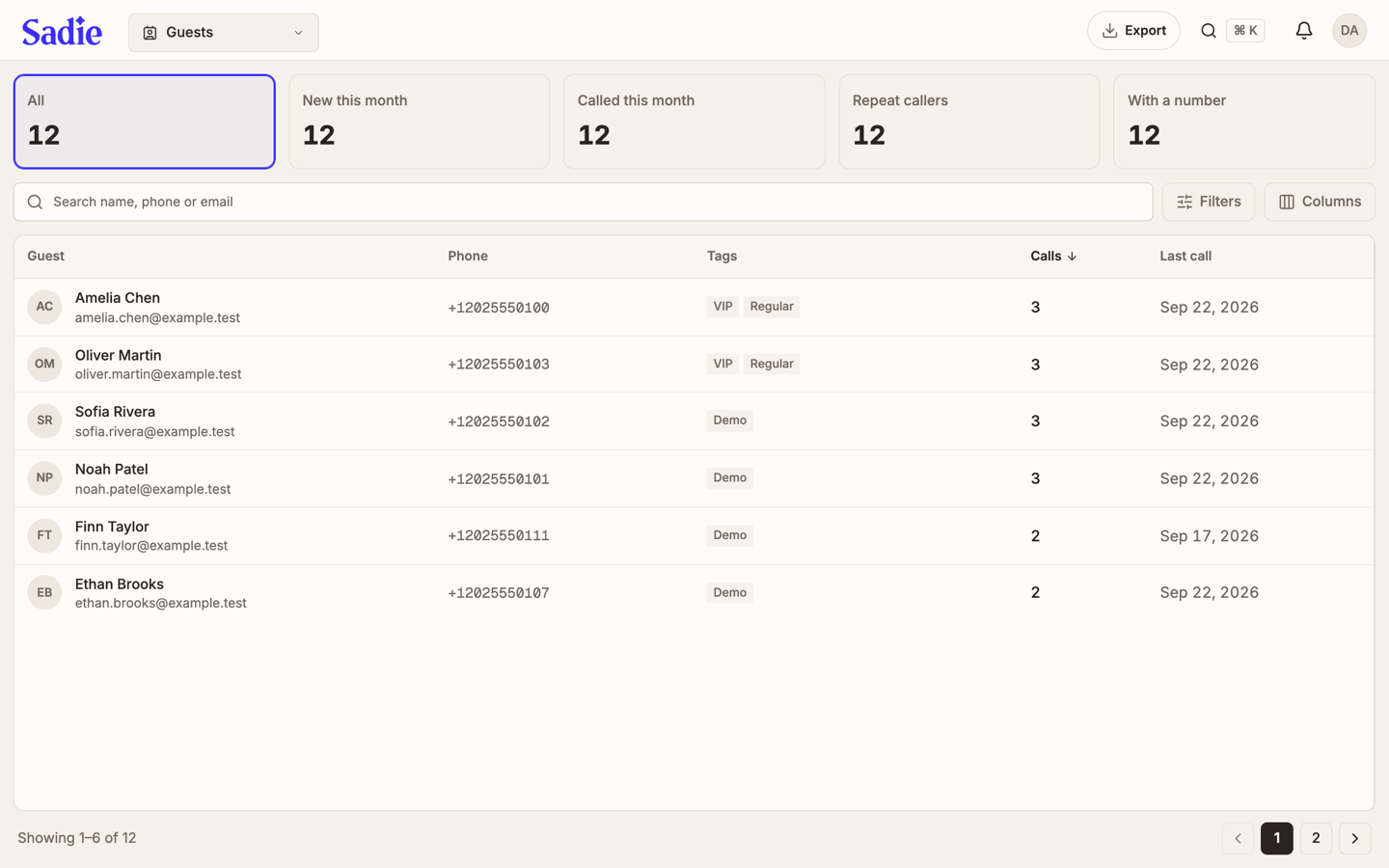
Guests is the directory of everyone tracked at the active location, built from their calls and contact details.
Read the tiles
Five tiles span the top of the page: All, New this month, Called this month, Repeat callers, and With a number. Click one to filter the list to that group; click it again, or click All, to clear the filter.
Search and filter
Type into Search name, phone or email to find someone directly, or click Filters to narrow by tag, source, or whether the guest has an email on file.
Choose your columns
Click Columns to add fields the table hides by default, such as email, source, number of messages, talk time, or when the guest was added.
Export the list
Click Export, at the top right, to download every guest that matches your current search and filters.
Open a guest
Click a row to open that guest's profile. It shows their phone, email, and tags, along with buttons to open their messages or their last call.
Turn the page
How many guests show per page depends on your screen size. Use the page numbers and arrows at the bottom to move through the rest.
What's next
Set up your alerts: Manage notifications on the web.