Reset your password
Ask for a reset link from the sign-in screen and set the new password in your browser.
You start the reset in the app and finish it in a browser. The app sends you a link by email, and the link opens the web version of Sadie Resto where you type the new password.
The new password is set on the web
Sadie Resto never asks you to type a new password inside the app. If a screen in the app asks for one, you are not on the reset flow.
Ask for the link
On the sign-in screen, tap Forgot password?.
The screen says Reset your password, with Enter your email and we'll send you a reset link. underneath. Type your work email into Email.
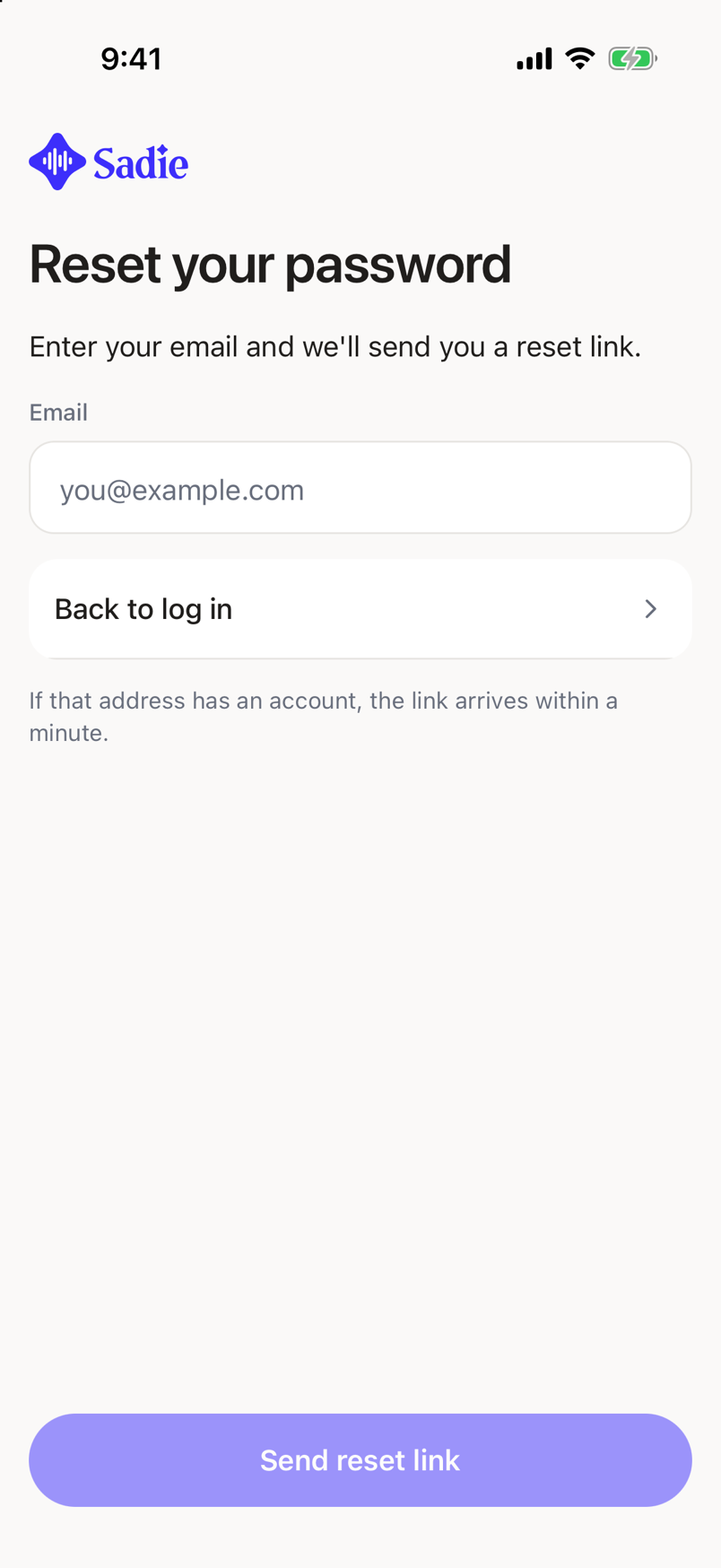
Tap Send reset link. The button reads Sending... while it works.
The screen changes to Check your email and tells you where the link went: We've sent a password reset link to followed by your address.
The small print under the email field says If that address has an account, the link arrives within a minute. That wording is deliberate. The app does not tell anyone whether an address has an account, so you get the same screen either way.
Set the new password
Open the email on any device and tap the link. It opens Sadie Resto in a browser, where you choose the new password. Come back to the app and sign in with it.
If the email does not arrive
Check the junk or spam folder.
Check the address you typed. A typo sends the link somewhere else and the app cannot tell you.
Tap Resend email. For the first thirty seconds the button counts down instead, reading Resend email with the seconds left beside it.
To go back without resetting anything, tap Back to log in.